

Hear your mix, not your room.
Measure your speakers where you sit, and Apsis corrects every sound on your computer and in your DAW. On headphones, it puts a pair of studio monitors in front of you.
Windows 10 and 11, 64-bit. Every feature works during the trial.

How it works
Ten minutes with a microphone, then it just works
-
Measure
A measurement microphone on your sound card. The program follows the microphone by sound alone and guides you to 31 points around your head, so one lucky spot does not decide the result.
-
Correct
It averages the points, cuts the room's peaks, leaves the dips it cannot fix, and builds the filter: zero latency, linear phase for mixing, or a mix of both.
-
Listen
The correction runs for all of Windows from the tray, and as a VST3 plugin on your master bus. Toggle it any time to compare.
Features
What it does
Room correction
Speakers and room measured together at the listening position, with your microphone's calibration file. Target curves, bass and treble tilt, strength from 0 to 100 %, a limit on boosts.
31 points · 1/6 to 1/3 octave smoothing · 44.1 to 192 kHz
Headphones
Corrections for 99 headphone models from published measurements, or your own measurement file. No microphone needed.
HPDB measurements · CSV and AutoEq files
Studio monitors on headphones
Two virtual speakers in a treated control room: near, mid or far field. A short listening test fits the sound to your ears.
SADIE II head responses · 8 heads to choose from
System-wide and in your DAW
The correction runs inside Windows' own audio engine, for every program, with a profile for each output: speakers on one, headphones on another. The VST3 plugin reports its latency to the DAW.
Off in exports by default · bypass, mono, side, dim
Translation check
Hear your mix through a phone, a laptop, a car or a small portable speaker, and through two classic studio monitors.
Room report
A PDF with what the measurement found: where to sit, the angle of the speakers, room modes, reverberation time by octave, early reflections.
A look inside
Clear about what it changes
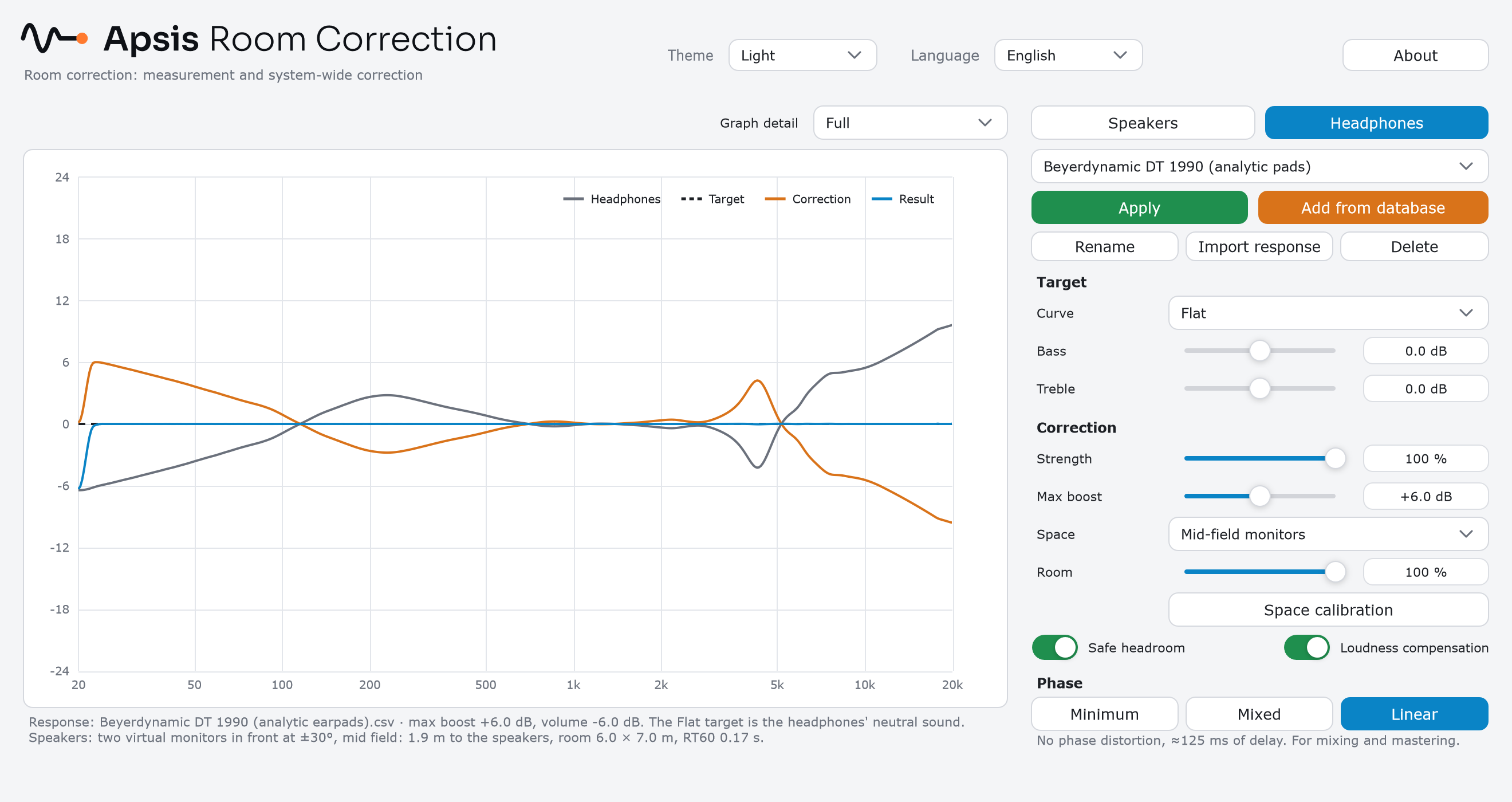
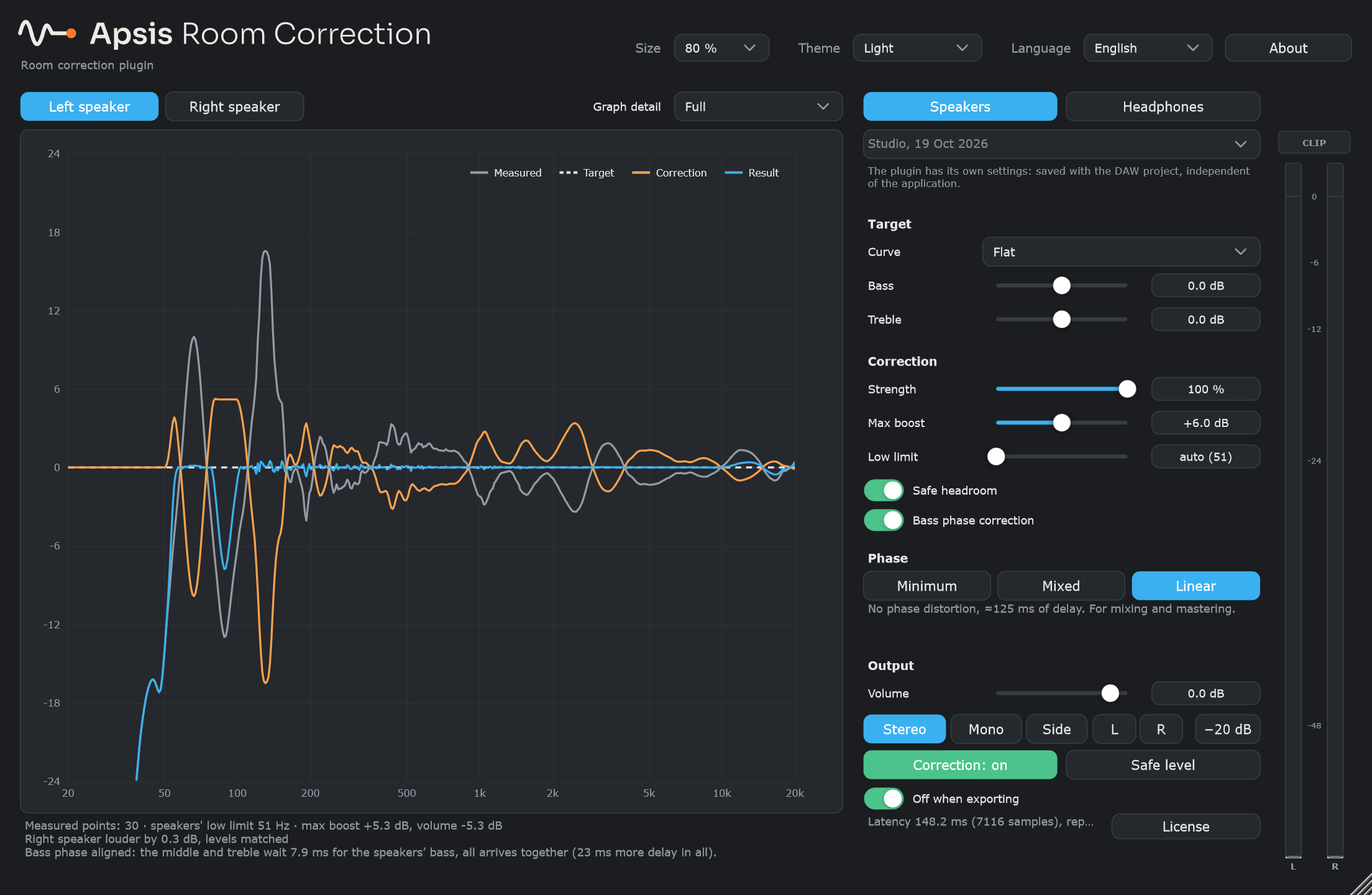
The graph shows the measurement, the target, the correction and the result, and the text under it says in plain words what was done.
Pricing
One payment, yours to keep
Try everything free for 14 days. A license has no subscription and no expiry; move it to a new computer whenever you need to.
2 computers
- Room and headphone correction
- System-wide correction and VST3 plugin
- Updates of version 1
3 computers
- Everything in the 2-computer license
- For a studio, a home setup and a laptop
- Updates of version 1
Prices include VAT where it applies. Payments are handled by our reseller Paddle, who also handles invoices and refunds (see the refund policy).
Questions
Before you start
Which microphone do I need?
An omnidirectional measurement microphone with its calibration file: a miniDSP UMIK-1 or UMIK-2 (the program finds the file by the serial number), or an XLR microphone such as the Behringer ECM8000 on your audio interface. Headphones need no microphone.
Does it work with my DAW?
Any DAW that loads VST3 plugins on Windows: Cubase, Ableton Live, FL Studio, Reaper, Studio One, Bitwig, Cakewalk and others. Pro Tools users can use the system-wide correction.
Will the correction end up in my exported mix?
No. The plugin switches itself off when the DAW renders an export, and keeps the timing exact. You can turn this off if you want to print through it.
Do I need to be online?
Once to start the trial or activate a key, then once a month to confirm the license; it keeps working for 30 days without a connection. Studio computers without internet can be activated from a phone.
Can I move the license to another computer?
Yes. Deactivate it in the program on the old computer, then activate it on the new one.
Is there a Mac version?
Not yet. Apsis Room Correction runs on Windows 10 and 11, 64-bit.